
Crawl budget optimization is an important, yet often misunderstood, part of SEO. It means planning how search engine bots, like Googlebot, crawl your site. It’s not just about getting pages into the index; it’s about making sure the right pages are found first, checked again often, and ready to rank.
Big sites and sites that change often can gain a lot from a well-managed crawl budget. Smaller sites can also see faster indexing and better performance. Picture a busy librarian going through your library and spending time on your best books first.
This guide explains what crawl budget is, why it matters, what affects it, and how to improve it-plus how strategies like international SEO link building can grow your site’s authority and, in turn, your crawl budget.
What Is a Crawl Budget?
Crawl budget is the number of pages a search engine will crawl on your site in a set time. Search engines have a lot of power, but they can’t crawl everything at once, so they pick what to crawl. This “budget” covers more than HTML pages. It also includes JavaScript and CSS files, mobile variants, hreflang versions, and PDFs.
Understanding crawl budget is important because if bots spend time on weak or broken pages, they may miss new or updated content that matters. The aim is to make sure bots spend their time on pages that help your business and your users.
How Do Search Engines Define Crawl Budget?
Crawl budget comes from two parts that work together: crawl limit and crawl demand.
- Crawl limit: How much crawling your server can handle without slowing down.
- Crawl demand: How much value the bot sees in crawling certain URLs based on freshness and popularity.
Search engines try not to overload your server. The crawl limit sets a ceiling on requests. At the same time, they want to find useful content fast, so crawl demand helps them pick which URLs to fetch more often. These signals change over time as your site changes.
Is the Crawl Budget the Same as the Number of Pages Crawled?
No. The number of pages crawled is what you can see in reports (like Google Search Console). Crawl budget is the allowance a search engine gives your site. It is what the bot could crawl, based on how healthy and important your site seems.
If your site is well-structured, the number of pages crawled should line up with your important, indexable pages. If bots waste time on thin pages, errors, or unneeded resources, fewer useful pages get crawled, and indexing can suffer.
What Is the Role of Crawl Limit and Crawl Demand?
The crawl limit (also called host load) relates to your server’s capacity. Bots try to be good guests. If your server times out or throws errors, they slow down. A fast, stable server tells them they can crawl more—something agencies like NON.agency often highlight when optimizing large sites.
Crawl demand is about how much interest the bot has in your content. It looks at links to your pages, how often content changes, and the type of page. Popular and fresh content gets more attention. A strong server lifts the limit, and valuable content lifts demand. Together, they raise your crawl budget.
Why Does Crawl Budget Matter for SEO?
If a page is not crawled and indexed, it won’t show in search-no matter how good the content is. To get search traffic, bots need to find and process your pages quickly. Wasting crawl budget is like having a store full of great products but the delivery truck keeps circling the block.
Improving crawl budget directs bots to your most valuable content so it gets indexed faster and more often. This is key for sites that update often. Without steady crawl budget work, new product pages, blog posts, or updates can sit unseen by bots and users.
How Crawl Budget Impacts Site Indexing
Bots must crawl a page before it can be indexed. If your crawl budget gets spent on weak or duplicate pages, important pages may be missed or crawled too rarely, especially on large sites.
Speed also matters. When you add or update content, you want bots to see it fast. A healthy crawl budget helps bots pick up changes sooner. A poor crawl budget slows indexing, which can delay rankings and traffic.
Which Types of Websites Need to Prioritize Crawl Budget?
All sites can benefit, but some need it more, such as:
- Large sites (10,000+ URLs)
- E-commerce stores with big catalogs
- News sites with many daily posts
- User-generated content platforms
Sites that publish often also need closer attention. New or updated pages should be found quickly. Smaller sites may not feel the same pressure, but using good crawl practices still helps with faster indexing and steady performance.
What Factors Influence Crawl Budget Allocation?
Crawl budget is not fixed. Search engines estimate it based on many signals about your site’s health, value, and speed. Knowing these signals helps you improve.
Bots want to be efficient and return good results. So, anything that makes your site easier to crawl, faster, and more useful helps your crawl budget. Slow pages, copies, or dead ends hurt it.
Site Size and Structure
Bigger sites need more crawl budget, but how pages are organized matters too. A flat structure-where key pages are only a few clicks from the homepage-helps bots reach them faster. Deep, complex structures hide pages.
Good internal linking also helps. It guides bots to important pages and spreads link value. Orphan pages (no internal links) are hard for bots to find and waste crawl time.
Duplicate and Low-Quality Content
Copied, thin, or low-value pages drain crawl budget. Examples include tag pages with little content, internal search pages, or near-duplicates. Bots may spend time on these instead of your best pages.
Reduce duplicates with proper canonicals and use noindex or robots.txt where needed. Cleaning this up helps bots focus on pages that add value.
Server Performance and Site Speed
Fast sites get crawled more in the same time window. Slow pages and server errors tell bots to slow down, cutting how much they crawl.
Speed up server response and page load. Compress images, trim JavaScript, and fix server setups. Google says faster sites improve user experience and raise crawl rate. Use PageSpeed Insights and Core Web Vitals to find issues.
Non-Indexable and Broken URLs
Bots often hit non-indexable URLs (noindex, canonical to another page, redirects, 4xx, or 5xx). Some of this is expected, but too much is wasteful.
Broken links and long redirect chains are big sinkholes. Each hop uses budget. Regular audits to fix these problems help bots spend time on content that matters.
Internal Linking and Navigation
A clear internal linking plan helps bots reach key pages more often. Pages with many useful internal links get more crawl attention. Orphan pages may be skipped.
Good menus, breadcrumbs, and category hubs help both bots and users move through your site. Messy linking makes bots miss content and waste crawl budget.
URL Parameters and Session IDs
Parameters like ?color=red or ?sessionid=xyz can create endless URL versions of the same content. Bots may try to crawl them all.
Control parameters with robots.txt, canonicals, or Google Search Console’s parameter settings. This keeps crawl time for unique pages.
Redirect Chains and Loops
Chains (A → B → C → …) and loops waste crawl budget. Google often follows around five hops in one go. Longer chains or loops can stop crawls entirely.
They also slow pages for users. Keep redirects to a single hop when possible.
Sitemap Accuracy
A clean XML sitemap guides bots to the right URLs. If it lists broken, redirected, or non-indexable pages, bots waste time.
Keep only live, indexable 200 URLs in sitemaps. Split large sitemaps by section for easier parsing.
Impact of JavaScript and Dynamic Rendering
JavaScript-heavy pages cost more to process. Bots must fetch and run scripts, render, then read content and links. This uses more crawl time than static HTML.
Unoptimized JS slows this down. Consider dynamic rendering or pre-rendering, and keep JS lean. Services like Prerender.io can help.
How to Check and Analyze Crawl Budget for Your Site
You need to know if bots are crawling your site well and where time is being wasted. Several tools can show crawl activity and problems so you can act on them.
Use a mix of first-party data (like Google Search Console) and third-party crawlers or log tools. Reviewing both gives you a clear picture of crawl health and next steps.
Using Google Search Console: Crawl Stats and Tools
Google Search Console (GSC) gives useful crawl data. In Settings → Crawl Stats, you can see total and daily requests and a breakdown by response type. This helps you spot 404s and 5xx errors that drain budget.
The Coverage reports also help. “Discovered – currently not indexed” can mean Google hit a limit. “Soft 404s” and “Duplicate” flags show wasted effort. GSC won’t show a single crawl budget number, but the reports let you spot and fix issues.
Reviewing Server Logs for Crawl Behavior
Server logs give the most exact view of bot activity. Logs record every request, with time, URL, status code, and user-agent (like Googlebot). Filter by bots to see what they crawl, how often, and what responses they get.
66.249.66.1 – – [25/Oct/2023:10:00:00 +0000] “GET /important-page.html HTTP/1.1” 200 15122 “-” “Mozilla/5.0 (compatible; Googlebot/2.1; +http://www.google.com/bot.html)”
Logs can reveal heavy crawling of certain folders, repeated crawling of static files, or hits to blocked URLs. Analyzing big log files by hand is hard, so tools like Screaming Frog Log File Analyser help turn logs into insights.
Third-Party SEO Tools for Crawl Analysis
Tools like Screaming Frog SEO Spider can mimic Googlebot (Smartphone) and crawl your site. They spot broken links, redirect chains, non-indexable pages, and duplicates. Many tools also map internal links and suggest fixes.
Combining these findings with GSC and logs helps you build a strong, data-backed plan for crawl budget improvements.
Common Issues That Drain Crawl Budget
Even carefully built sites can waste crawl budget. These problems send bots to pages that don’t help your rankings or users.
Over time, small issues stack up, especially on large or fast-changing sites. Finding and fixing these drains keeps bots focused on pages that matter.
Excessive Duplicate Content
Duplicate and near-duplicate pages are a major drain. Variants like trailing slashes, HTTP vs. HTTPS, WWW vs. non-WWW, and parameter order can multiply URLs for the same content.
Common sources include internal search pages, thin tag/category pages, print versions, and small product variants. Use canonicals, noindex where needed, and unify URL formats to cut duplicates.
Large Numbers of Low-Value or Non-Indexable Pages
Thin pages, outdated content, thank-you pages, login pages, and staging areas do not need crawl time. Leaving them open to bots wastes budget.
E-commerce sites with many filters or discontinued products often suffer here. Use noindex or block with robots.txt where appropriate.
Unnecessary URL Variants and Parameters
Filter and sort parameters can create countless duplicates. For example, ?color=red&size=M and ?size=M&color=red may look different to a bot but show the same content.
Use canonicals, block unneeded parameters with robots.txt, and set parameter rules in GSC to focus bots on main URLs.
Broken Links and Redirect Errors
404s waste crawl time. Long redirect chains (A → B → C) do too, and loops are worse.
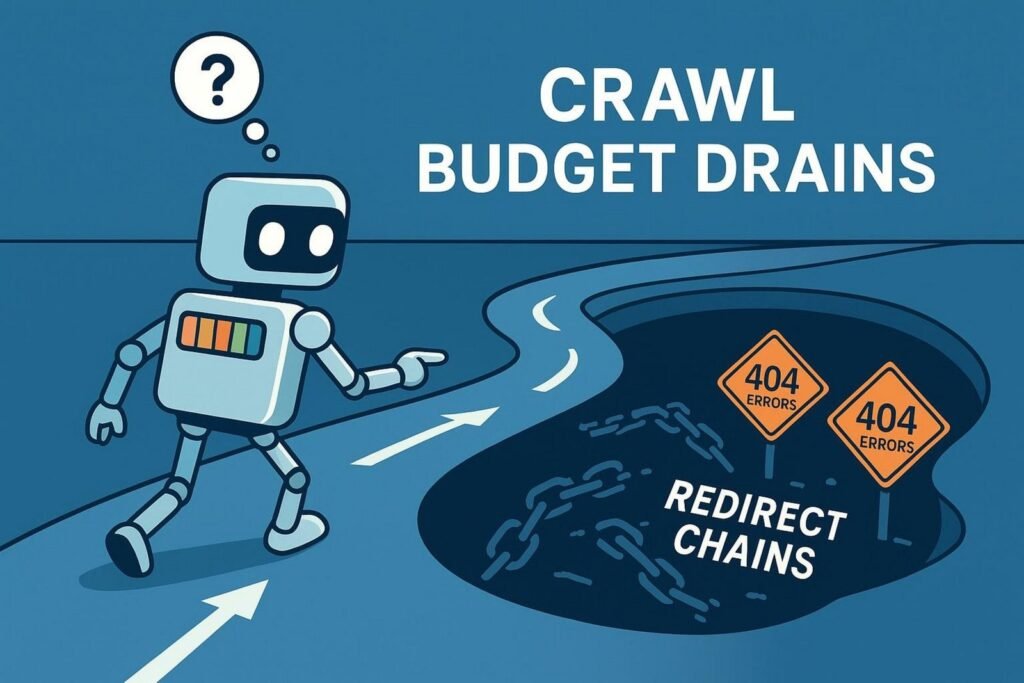
Audit links often. Fix 404s and collapse multi-hop redirects into single hops.
Slow Page Load Times and Server Errors
Slow pages and 5xx errors tell bots to slow crawling. That shrinks how much they crawl.
Speed up your stack: compress images, minify CSS/JS, use caching, and keep servers stable. Fix errors fast to keep crawl rate up.
Best Practices for Crawl Budget Optimization
Improving crawl budget is an ongoing process. The goal is to guide bots to your best pages and cut time spent on weak or broken ones.
Work on both technical and content areas: clean site structure, fast performance, and clear indexing signals.
Block Unimportant Pages with robots.txt
Use robots.txt to Disallow crawling of admin areas, staging folders, internal search, and noisy parameter patterns.
# Block crawling of admin and search pages for Googlebot
User-agent: Googlebot
Disallow: /admin/
Disallow: /search/
# Block a specific parameter pattern for all crawlers
User-agent: *
Disallow: /*?sessionid=
Note: Blocking in robots.txt stops crawling but doesn’t remove pages that are already known. For removal, use a noindex tag or header.
Consolidate Duplicate Content with Canonicals
Use rel=”canonical” to point bots to the preferred version of a page. This combines signals from variants and cuts duplicate crawling.
<link rel=”canonical” href=”https://www.example.com/preferred-page-url” />
Apply canonicals for HTTP/HTTPS, WWW/non-WWW, trailing slashes, parameter versions, and near-duplicate pages.
Keep Server Response Times Fast
A quick server invites more crawling. Slow responses push bots to crawl less.
Improve hosting, consider moving off shared hosting if needed, and trim payloads (image compression, CSS/JS minification, caching). Watch performance and fix bottlenecks early.
Maintain Accurate and Updated XML Sitemaps
List only live, indexable URLs (200 status) in your sitemap. Remove redirects, 404s, and noindex pages.
<?xml version=”1.0″ encoding=”UTF-8″?>
<urlset xmlns=”http://www.sitemaps.org/schemas/sitemap/0.9″>
<url>
<loc>https://www.example.com/live-indexable-page.html</loc>
<lastmod>2023-10-26</lastmod>
</url>
</urlset>
For big sites, split sitemaps by section (products, blog, categories). Auto-generate updates and submit sitemaps in GSC.
Streamline Site Architecture and Navigation
Keep key pages within a few clicks of the homepage. Avoid deep, complex paths.
Use clear internal links with descriptive anchors, simple menus, breadcrumbs, and hub pages. This helps bots and users reach what matters faster.
Minimize the Use of URL Parameters
Cut unneeded parameters that create duplicates. Decide which parameters are required for users and block the rest.
- Disallow patterns in robots.txt
- Use canonicals on variants
- Configure parameter handling in GSC
Reduce Redirect Chains and Loops
Use single-hop redirects. Avoid chains and fix loops right away.
Run regular link checks and redirect audits to keep paths clean.
How to Increase Your Site’s Crawl Budget
Blocking waste is one side of the coin. You can also send signals that your site deserves more crawling by improving quality, authority, and speed.
Google won’t raise your budget for no reason. Build a fast, trustworthy, and useful site, and crawling usually follows.
Improve Site Authority and Popularity
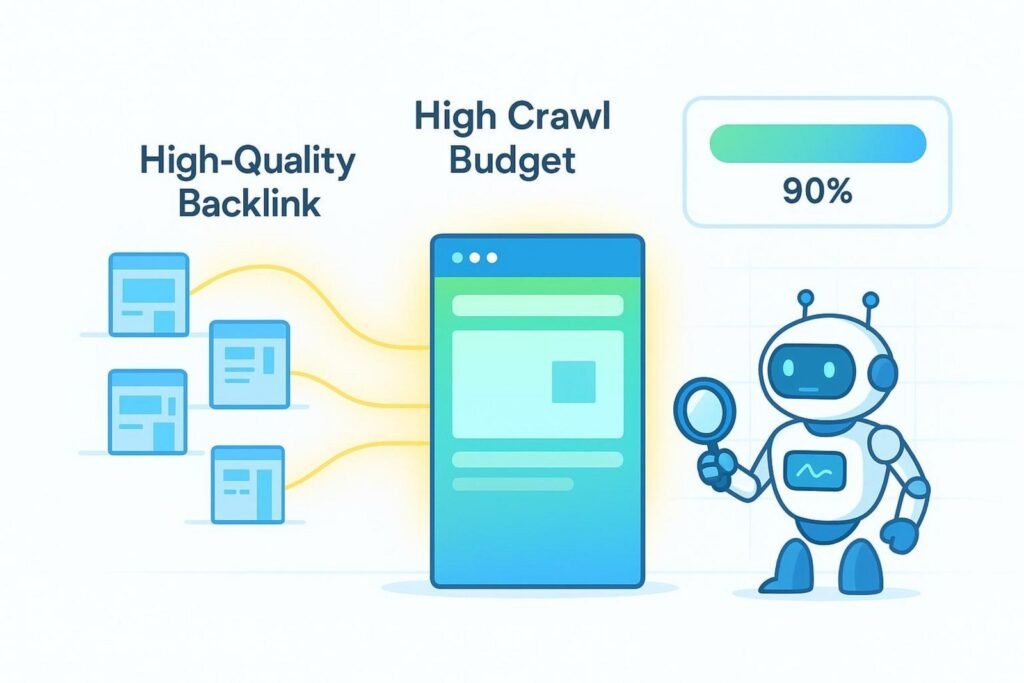
Sites with strong authority get crawled more often. High-quality backlinks help a lot. When your main pages earn links, Google crawls them more and follows links deeper into your site.
Internal links matter too. Pages with more internal links tend to be crawled more. Keep publishing useful content that earns links and engagement to raise demand for crawling.
Reduce Server Errors and Downtime
Frequent 5xx errors and downtime push bots to slow down. Keep servers reliable and fix issues quickly.
Watch uptime and logs, and be ready to act. A fast, stable site raises your crawl limit.
Regularly Audit and Clean Up Old Content
Old, thin, or duplicate pages drain crawl time. Review them on a schedule.
- Add value to thin pages or merge them
- Use noindex for low-value pages
- Use 410 (Gone) for content that should be removed
- Redirect to a better page when it helps users
Key Steps to Maintain Healthy Crawl Budget Long-Term
Crawl budget work is ongoing. As your site grows and changes, your approach should change too. Keep monitoring and improving to keep bots focused on the right pages.
The steps below help you stay ahead of problems and keep visibility strong over time.
Monitor Crawl Stats and Site Changes Regularly
Check GSC Crawl Stats often. Track requests, download times, and file types. Watch for spikes or drops that may signal a problem.
Match crawl data with site updates. If you launched a new section or changed templates, see how crawl patterns shift and adjust as needed.
Automate Alerts for Crawl Errors
Set up alerts so you hear about crawl errors right away. Manual checks don’t scale well on large sites.
Use GSC email alerts for new errors and add tools that report broken links, redirect chains, or slow pages. Automated alerts change your process from reactive to proactive.
| Status | Meaning | Impact on Crawl Budget |
| 200 | OK (indexable if allowed) | Good use of crawl time |
| 301/302 | Redirect | Each hop uses budget; avoid chains |
| 404 | Not Found | Wastes budget; fix or remove links |
| 5xx | Server Error | Strong slowdown signal to bots |
Adapt Strategies as Your Site Grows
What works for a small site may fall short for a big one. As you add categories, features, or thousands of pages, revisit your plan.
Review architecture, internal links, content rules, and performance often so your setup keeps pace with growth.
Frequently Asked Questions about Crawl Budget Optimization
This topic mixes technical SEO and content choices. Here are short answers to common questions.
How Can I Tell If My Site Has Crawl Budget Issues?
Check GSC Crawl Stats. Signs include few pages crawled compared to site size, many error responses (4xx, 5xx), lots of noindex or canonicalized URLs being crawled, and slow indexing of new content.
Server logs can show heavy crawling of the wrong areas or files. “Discovered – currently not indexed” in Coverage is another hint that Google can’t keep up.
Should Small Sites Worry About Crawl Budget?
Most small sites (under a few thousand URLs) don’t need to worry much. Google usually crawls them fine.
Still, faster pages, clear internal links, and fewer duplicates help any site get indexed quicker and perform better.
Does JavaScript Impact Crawl Budget Efficiency?
Yes. JS-heavy pages take more time because bots must fetch, run, and render scripts before reading content and links.
Keep JS lean, fix errors, and consider dynamic rendering or pre-rendering for key pages.
Do Canonical Tags and Meta Robots Affect Crawling?
Canonicals and meta robots mainly affect indexing and link flow, not crawling directly. Bots still need to fetch a page to see a noindex or a canonical.
Used well, these tags guide bots toward the right versions and away from junk, which helps use crawl time better.
